Download 粗黑體一實陰 WCL 08 Font


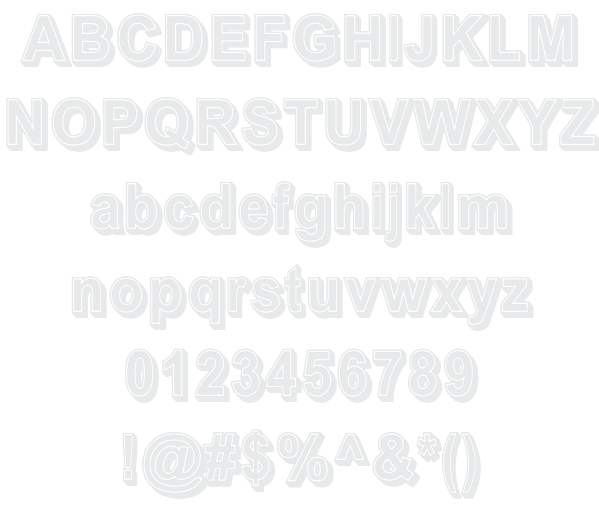
粗黑體一實陰 WCL 08 Example

Download 粗黑體一實陰 WCL 08 - 29,525 downloads


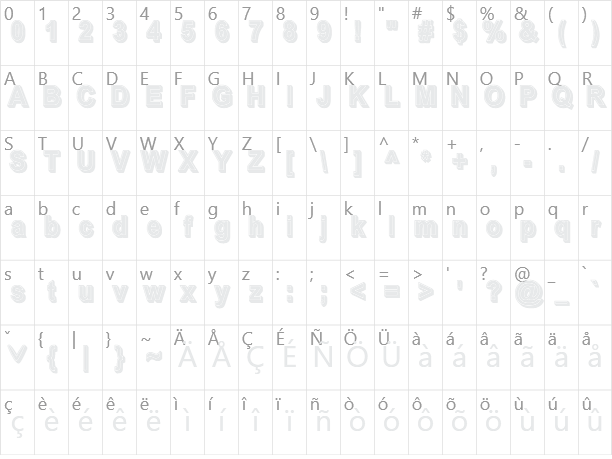
3D International Stylish Unicode Chinese Asian Foreign Thick 粗黑體一實陰 WCL 08 Example 粗黑體一實陰 WCL 08 Character Map

Create a Logo Using 粗黑體一實陰 WCL 08

Hot Logo Style
Muddy Logo Style
Trogdor Logo Style
Gold Outline Logo Style
Embossed Logo Style
Felt Logo Style
Achilles Logo Style
DEEJAY Logo Style
OZONE Logo Style
SAINT Logo Style
Merry Christmas Logo Style
Hot Pink Logo Style
Glossy Logo Style
Legal Logo Style
Lasers Logo Style
Invaders Logo Style
Gradient Bevel Logo Style
Fantasy Logo Style
Iceberg Logo Style
Blinkie Logo Style
Fire Logo Style
Sword Logo Style
Supernova Logo Style
Club Logo Style
Animated Glow Logo Style
Snowman Logo Style
Comic Logo Style
Alien Glow Logo Style
Plastic Logo Style
House Arryn Logo Style
Gold Trim Logo Style
Dark Magic Logo Style
Astroman Logo Style
Keen Logo Style
Outline Logo Style
Fun Logo Style
Dark Logo Style
Chrome Two Logo Style
Bad Acid Logo Style
Gunmetal Logo Style
Water Logo Style
Tough Logo Style
Neon Glow Logo Style
Starburst Logo Style
White Logo Style
Neron Logo Style
Simple Logo Style
Happy Joy Logo Style
Liquid Gold Logo Style
Molten Core Logo Style
Cheetah Logo Style
Vampire Logo Style
TROY Logo Style
Glitter Logo Style
Rage Logo Style
Spaced Out Logo Style
Sushi Logo Style
Super Scripted Logo Style
Chromium Logo Style
Grinch Logo Style
3D Outline Gradient Logo Style
Greek Gold Logo Style
Coffee Cup Logo Style
Glowing Steel Logo Style
Halloween Logo Style
Graffiti Creator Logo Style
Iced Logo Style

粗黑體一實陰 WCL 08 Example

粗黑體一實陰 WCL 08 Example

粗黑體一實陰 WCL 08 Character Map

粗黑體一實陰 WCL 08 Character Map

Added on 2008年11月21日
29,525 downloads

Similar Fonts

勘亭流繁 Kan Tan Font 波卡體一空陰 WCL 03 Font 新潮體一波浪 WCL 01 Font 綜藝體繁 Zon Yi Font 綜藝體一雙空陰 WC L04 Font

Font Installation Instructions


You may need to extract the .ttf files from a .zip archive file before installing the font.

Windows (XP/Vista/7/8/10)

Right-click on the .ttf file and select install.

MacOS X (10.3 or later)

Double-click on the .ttf file and select install.


Generator Categories

Most Popular Animated (7) Black (13) Blue (17) Brown (8) Burning (6) Casual (5) Chrome (11) Classic (5) Distressed (22) Elegant (11) Fire (6) Fun (10) Girly (7) Glossy (16) Glowing (20) Gold (19) Gradient (6) Gray (8) Green (12) Heavy (19) Holiday (6) Ice (6) Medieval (12) Metal (8) Neon (5) Orange (10) Outline (31) Pink (14) Purple (15) Red (25) Retro (7) Rounded (22) Science-Fiction (9) Script (5) Shadow (10) Sharp (6) Shiny (9) Space (8) Sparkle (7) Stencil (6) Stone (7) Trippy (5) Valentines (6) White (7) Yellow (15)